Am I correct in assuming user was there prior to you upgrading to 3.5?
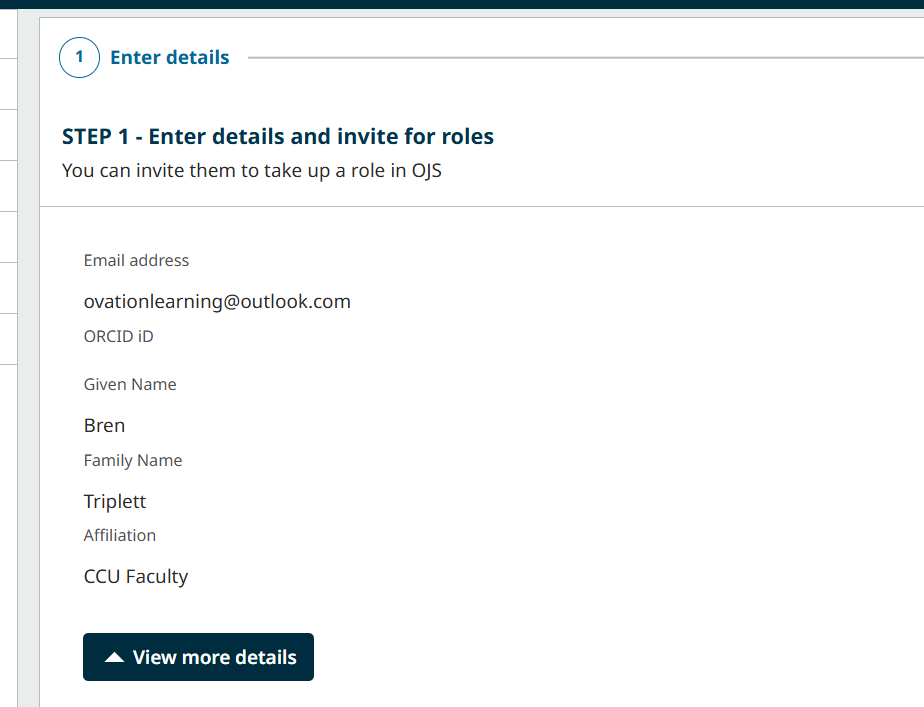
Things have changed in OJS 3.5, whereby it’s being emphasized to invite users to roles and not really create accounts for them. You can read more about this here.
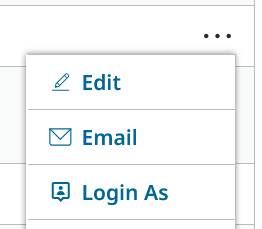
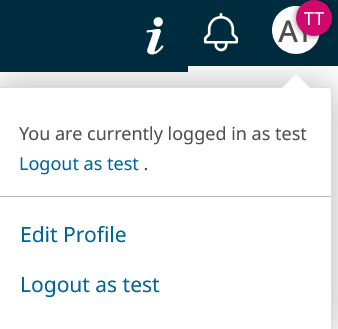
A possible workaround, if you have sufficient privileges, is to go to search for the user and then go to “Login As” and then “Edit Profile” when logged in as the user.
Yes, but the other issue I have is that when I go to edit nothing is open to be able to edit. My first thought was to update the person with all of the correct permissions with a new e-mail but I can not seem to edit any person.
And yes we were on 3.31 before is there something we may need to do in the database in order for this to work.
Yes - I believe that the ability to edit the function is removed, leaving administrators (with the login as) or the owners of the profiles themselves with the ability to edit. Did you try the “Login As” functionality to edit that way?
I created a use id with all roles and logged in with it but still can not edit anything is there a way to create an admin user id or is this a case that I have not make changes in mysql. I did find a place where I can add a user that does not send the invite but it would be great to be able to edit a user or do the invitation. Is there any way to get the bug fix for 3.5.01 - Think you have 3.5.02 - Thanks for helping. Not sure where to turn.
As @rcgillis noted, you should be able to edit the user by Logging as (you have to be the Journal Manager to do this, the other roles are irrelevant). Try choosing the user, pressing “…”, clicking Login As
and then edit the user’s profile as if it were your own. I can only add that this functionality works for me in my test system (upgraded all the way from 2.4 to 3.5).
The old ways when you could just edit the user’s profile seem to be gone indeed.
So when I do a login as I do not have any way to edit. None of the fields that I am looking at allow editing. I think when we did the upgrade we must have missed something because I do not see any place where the fields are open to me. Is there a table or something that I can look at in the back end in order to give permissions to make this change. Also is there any way to get the bug fix for invitations. That would solve me problem.
Thanks for all of your help but I am not seeing what you guys are seeing. I am a journal manager.
Thanks I was able to edit the profile. I was editing from the user and roles and not the profile. I am still getting the invitations error when I attempt add roles to a person. Is there anyway to get around that. Thank you for your patience. I am familar with 3.3 and our IT department went to 3.5 so having to learn it quirks.
I have a similar problem. Previously, the members of the editorial board were listed on the website. This has changed in the OJS 3.5 system. I would like to register the previous members of the editorial board, but the system won’t let me, even though I have superadmin rights.
They say there are bugs in the invitation process in this OJS version. There’s also some kind of problem with ORCID and invitations. Maybe you’re encountering one of those issues.
The editor dashboard in 3.5 looks so cool, but the bugs spoil all the fun. IMHO 3.5.0-1 is sooo not ready yet to be an LTS version… guess for now we’ll have to wait for the developers to fix things.
We’ll be releasing OJS/OMP/OPS 3.5.0-2 very shortly to address a number of accumulated issues in 3.5.0-1. We haven’t added the LTS designation to the 3.5.0-x branch yet, and won’t until it’s ready – probably with 3.5.0-3.
Regards,
Alec Smecher
Public Knowledge Project Team
I saw somewhere (which I cannot remember) that OJS 3.5.0x will comply with User Data Privacy Protection standards. Therefore, editors, journal managers, or administrators would no longer be able to perform functions such as “Log as,” because one person cannot legitimately act as another and execute actions the profile owner did not actually perform. Something like this. I am not sure whether the same principle would apply to editing a user profile.
We aren’t removing the “Log In As” feature; that’ll stay available to Journal Managers and Site Administrators in the same way as previous releases.
Being compliant with GDPR requires the right tools in OJS (that’s our work) and compliant data management by users (that’s yours). It’s possible to use the “Log In As” feature responsibly and be GDPR compliant – but if the feature is misused, you can fall out of compliance.
An example of a “responsible” use of the “Log In As” feature is when responding to an email exchange between the user and the Journal Manager. The user may give permission to make a chnage on their behalf if they have trouble accessing the site, or simply don’t want to. In that case the Journal Manager has the user’s consent to act on their behalf. (This is particularly important when working with Reviewers, as their time is valuable and they are not compensated for their work.)
Regards,
Alec Smecher
Public Knowledge Project Team