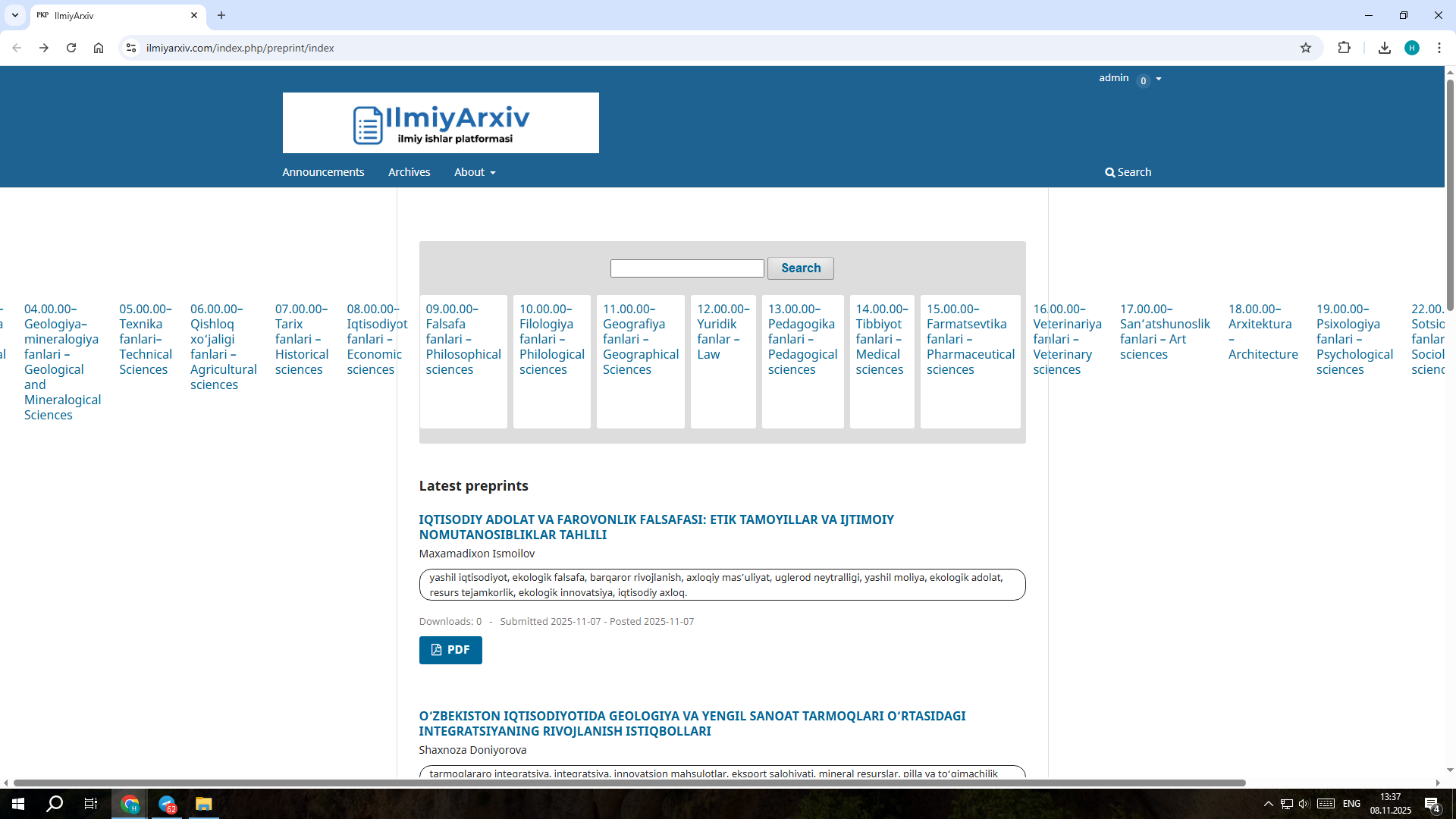
I’ve created several categories in OPS, but now all of them appear on the homepage in a rather unattractive way. Could you please tell me how to remove or hide them from the homepage?
I’m also having trouble finding or uploading the “How to Cite” plugin for OPS 3.3 LTS. If anyone knows how to install or enable it, please guide me.
If you go to Settings - > Server → Category - you may be able to remove the categories there, but you’ll likely have to first disassociate the submissions from the category.
To disable the “How to Cite” plugin in OJS, you go to the Plugins management area in the OJS administrative interface (Website - Settings) . From there, you find the Installed Plugins list and disable the format plugin. However, in some OJS versions, certain citation format plugins may be checked but inactive and cannot be unchecked through the interface. Let me know if this is the case with your.
If you can’t disable the c plugin via the user interface, one workaround is to manually remove the plugin files by deleting the relevant plugin folder from the plugins/citationFormats directory in your OJS installation. However, be cautious with this approach, as it removes the plugin entirely (you may also just try to just rename it too). Changes like this might require admin access to your OJS server and could affect system stability if done incorrectly.
Hi @nuraly.javliev, if you are referring to the “Citation Style Language” plugin which displays citations on an article page, unfortunately that is not available in OPS 3.3, but is available for 3.4 and later.