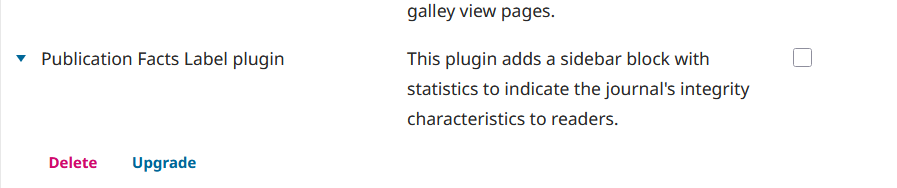
When upgrading from OJS-3.5.0-2 to OJS-3.5.0-3 via tools/upgrade.php, following error is thrown:
2026-01-12 17:22:22 [code: Installer Installer::addPluginVersions]
[12-Jan-2026 17:22:22 UTC] PHP Fatal error:  Uncaught Exception: You are trying to downgrade the product "pflPlugin" from version [1.2.1.2] to version [1.2.1.1]. Downgrades are not supported. in /var/www/html/lib/pkp/classes/site/VersionDAO.php:123
In an earlier attempt, I tried by removing the pflPlugin (“Publication Facts Label”) via the “Delete” button on the plugin admin page:
Yet, that resulted in general instability, producing lots of error modals when loading articles, and made the plugin administration page unreachable, so I couldn’t repair from there. Clearly, from the logs, some files couldn’t be found, which made me restore to a previous state of OJS-3.5.0-2.
After that, I tried the “Upgrade” option and upload the previous version of the plugin, but that doesn’t work either: downgrading isn’t possible.
My main question is: if removing it wasn’t the optimal route, is there a proper way to downgrade this plugin, or reset to factory settings, so the upgrade can succeed?
Steps I took leading up to the issue
For example:
Download, unpack and prepare OJS-3.5.0-3
run tools/upgrade.php
See error
What application are you using?
For example, OJS 3.5.0-2, trying to upgrade to OJS 3.5.0-3
This is a bit of an unusual situation, caused by having upgraded to a brand-new Publication Facts Label release that’s newer than the one included in the also recently released OJS 3.5.0-3.
I have two solutions that could work equally well:
Just replace your OJS 3.5.0-2 code with the code from 3.5.0-3; don’t run the upgrade script. (Builds in the same line of releases should be database-compatible with each other.) Or…
Before running the upgrade script, delete the contents of plugins/generic/pflPlugin; then, if you want it, install it from the Plugin Gallery after running the upgrade.
Regards,
Alec Smecher
Public Knowledge Project Team
Thanks, @asmecher , I’ve tried your solution #2 and that works. One issue, though: after removing `plugins/generic/pflPlugin`, the plugin Publication Facts Label disappears from the “Installed Plugins” tab, while the “Plugins Gallery” tab keeps saying it is installed on version v1.2.1.2. Is this because it is still listed in the versions database table?
Another interesting issue and perhaps safer approach: I’ve noticed how the plugins/generic/pflPlugin/version.xml file says it’s version 1.2.1.1. That may have come from my earlier attempt at restoring those files from the pflPlugin-1_2_1-2.tar.gz file of that plugin. Would it be safest to restore those files to plugins/generic/pflPlugin/version.xml, and updating the info in the versionsdatabase table to that build number?
That way -if that would work-, I assume version 1.2.1-1 would be listed as installed, so this won’t bite me for future OJS point releases.
Yes, the listing in the versions table (when there’s nothing in the filesystem) is causing the discrepancy. Again, you’ve got two options:
Install the source code for the plugin into the filesystem, matching the version that’s in the versions table, then upgrading through the Plugin Gallery if it’s not the newest, or
Removing the versions table entry with product = 'pflPlugin', then install it using the Plugin Gallery
(As always, take a backup before working with this stuff manually.)
Thanks,
Alec Smecher
Public Knowledge Project Teamn
Great, that worked: I noticed I had 2 entries with product = 'pflPlugin' in the versions table: one for the previous version 1.2.1-1 (in line with the one on the filesystem), and one with the 1.2.1-2 version. I removed only the latter and now:
everything keeps working,
and the Plugin Gallery now correctly states it is on version 1.2.1-1 and can be upgraded to 1.2.1-2. Which I won’t do to avoid future out-of-sync problems with the version shipped by OJS.
We shipped the Publication Facts Label plugin with OJS and also release updates to the Plugin Gallery on purpose – as we’re doing with other plugins like the JATS Template plugin. I think this is the first time we’ve run into a conflict between them before. If folks run into this kind of thing even semi-regularly during upgrades, we’ll resolve it by changing the core code’s expectations with respect to plugins. Long story short, you shouldn’t be afraid to run the latest versions of plugin code, and we do encourage it.
Regards,
Alec Smecher
Public Knowledge Project Team