Hi all,
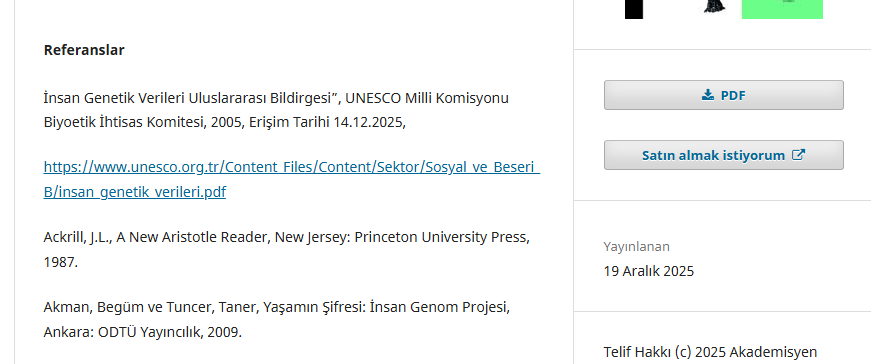
I want to break the very long URLs that are overflowing the box in the References section in book details page. I’ve done a lot of searching on Google for CSS styles, and tried to modify less files, but my attempts haven’t been successful. I can’t figure out exactly which CSS class I need to modify or add in less files. I want to style a element of references, but how?
I use OMP 3.4.0-9. I attached a screenshot to describe my problem better.
I would be very grateful if anyone could help me.
Best regards,
Uğur Koçak
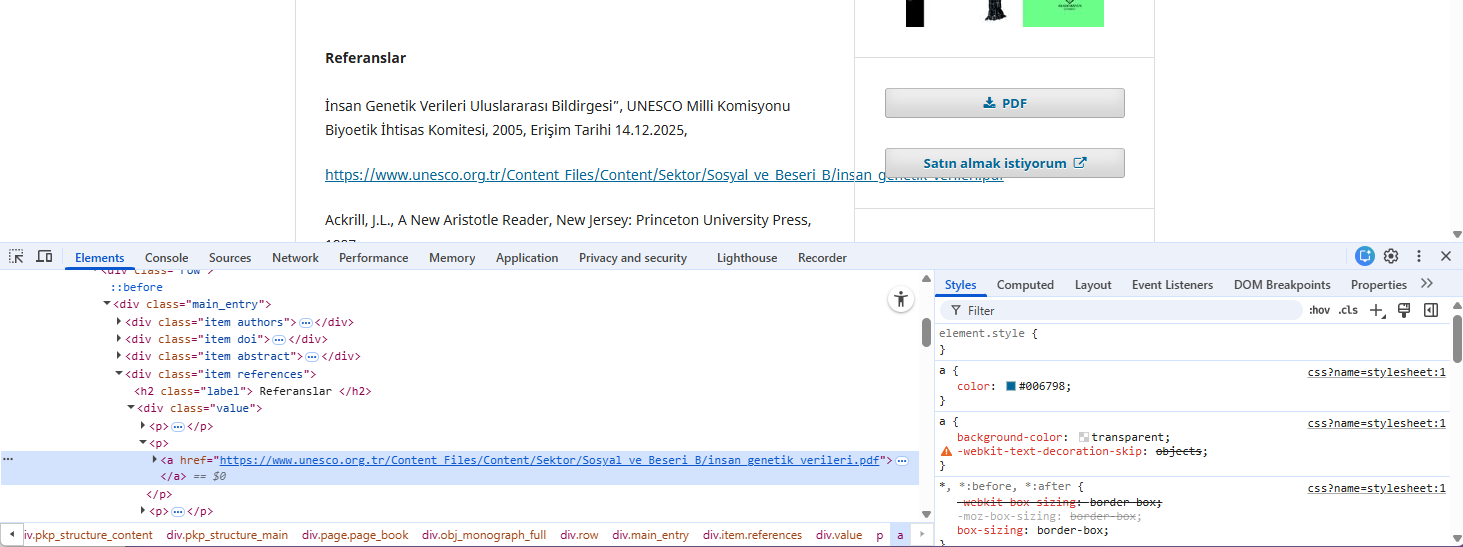
Something like
.references a {
  word-break: break-word;
}
? You probably won’t need to modify LESS if a custom CSS stylesheet can be added in OMP from the web interface of the journal manager’s admin panel (this can be done in OJS, but I don’t know anything about OMP).
Hi @voffch
Thank you very much.
I generated a custom css file, and uploaded it via advanced tab, exactly as you suggested.
Your suggestion solved my problem without breaking the link. Thank you so much for your help.
Best regards