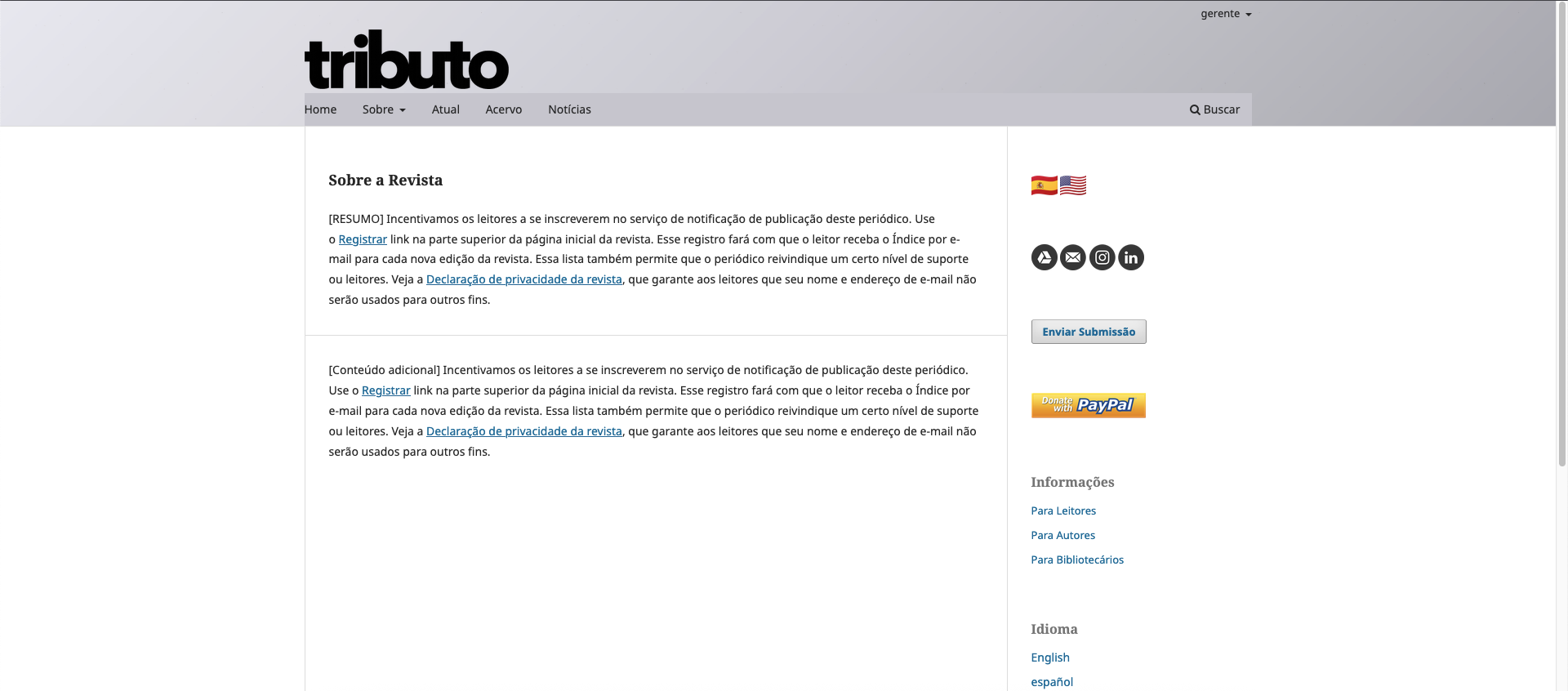
Hi!
I’ve been building my custom CSS for default theme. After finding a good gradient of grays and some textures, managed to apply it to the whole header.
The one problem I’ve been facing is the menu bar background. Tested everything possible to make it transparente… but nothing worked.
Things I tested with zero success:
-
Forced transparency on wrappers (applied background: transparent !important; and background-color: transparent !important; to: .pkp_navigation_primary, .pkp_navigation_primary_row and .pkp_navigation_primary_wrapper).
-
Added the same rules to pseudo-elements :before and :after.
-
RGBA and Hex with alpha (8-digit hex codes): sed rgba(0,0,0,0) and #FFFFFF00 to check if the gray was coming from a color overlay.
-
nheritance strategy (tried making the
and its - children inherit the same background style as the headerNavigationContainer.
-
Opacity approach (tested opacity: 0.7; on .navbar-menu style, but this affected not only the background but also the text).
-
Extended transparency down to the itself (#navigationPrimary), not just the wrappers, to eliminate any default gray fill.
I’m currently even trying the custom header plug in to call a forced stysheet from another folder to give my code extra priority… but still no success.
So, the color from the theme is being forced to the blocks that build the menu bar in a way I can’t overrule.
Any ideas on how to make the menu bar transparente so that my set of textures/gradient can appear behind the menu bar? Any ideas on why (and how) the OJS is forcing the theme color?
What application are you using?
OJS 3.5, Firefox, Mac Os
In this image you can see that the menu bar has a different color (it’s the theme color I chose defining OJS theme settings)
Like this? https://www.chimia.ch/chimia
In head.less:
.pkp_navigation_primary_wrapper {
        padding-left: 0;
        padding-right: 0;

        @media (min-width: @screen-desktop) {
                background-color: @bg-transparent;
        }
}
In variables.less:
@bg-transparent: rgba(221,231,238,0.7);
Yeah, something like this.. but 100% transparent to let us see the background behind tthe menu bar.
I (consider I + chatGPT.. cause I’m not really a programmer, but something studying to understand a bit) tested your suggestion, but the problem was still there.
Can you, please, elaborate your solution? I mean, for example.. would I need some other code in custom header? I’d love to know better the steps to implement your idea.
Thanks a lot for your time and patience helping!
We made a copy of the Default theme and renamed to CHIMIA theme. The cited .less files are from there.You can also upload custom CSS instead, it probably would look like:
.pkp_navigation_primary_wrapper {
        padding-left: 0;
        padding-right: 0;

        @media (min-width: 992px) {
                background-color: rgba(221,231,238,0.7);
        }
}
You can play with the last parameter to change transparency (and the 3 values for rgb). Maybe you also need !important …
Thanks @mpbraendle !
Your idea helped me to find a way to do it after studying Chimia’s code pretty hard.
Hope this explanation may help someone in the future:
The problem was the header I proposed was kinda complex (gradient + overlay textures that change at time interval) and demanded a better control of which layer of code would resolve first, second, third, etc.
Noticed that the custom header is the last to resolve, receiving priority. Stylesheets just before that.
So, I created a custom child theme to support the base css theme plugin. Then added a second layer of CSS through stylesheet in settings/appearence. To finish I added a javascript with the custom header plugin to add the textures. This way the resolution of the site is: 1) base theme; 2) stylesheet to control the gradient and the transparency of menu bar, user menu, etc; 3) the last thing: the texture package with JS.
Once you control the steps of the resolution of the code, nothing will really break the transparency of the menu bar and the header works fine