I am getting an error message “An unexpected error has occurred. Please reload the page and try again” when I try to “schedule for Publication”.
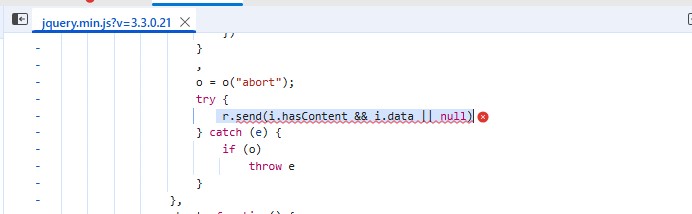
It says that all requirements are met and gives the issue and DOI to be published. But the error pops up in the upper right hand of the screen. There is nothing reported in the error log but the developer tools give a 500 error,and point to the line r.send(i.hasContent && i.data || null) in jquery.min.
Steps I took leading up to the issue
The steps I followed was pretty much the standard process for publishing an issue. No other changes to the code base or shortcuts were followed.
What application are you using?
I am using OJS 3.3.0.21
If the developer tools are showing a 500 error, there will definitely be something logged on the server to provide more detail. Without that, it’ll be hard to debug; your php.ini configuration might help point you in the right direction. See also this thread.
Regards,
Alec Smecher
Public Knowledge Project Team
Were you able to locate a specific error message to go with the 500 response you’re seeing in the web developer tools?
OJS will happily work with either utf8-unicode-ci or utf8-general-ci, but the important thing is that the database consistently uses the same setting for all tables and columns.
Regards,
Alec Smecher
Public Knowledge Project Team