I am new to the system, and have created four new issues. They all show up in the “Active Submissions”.
But all as “Future Issues”. I want the first three to be archive issues, and the fourth to be the current Issue.
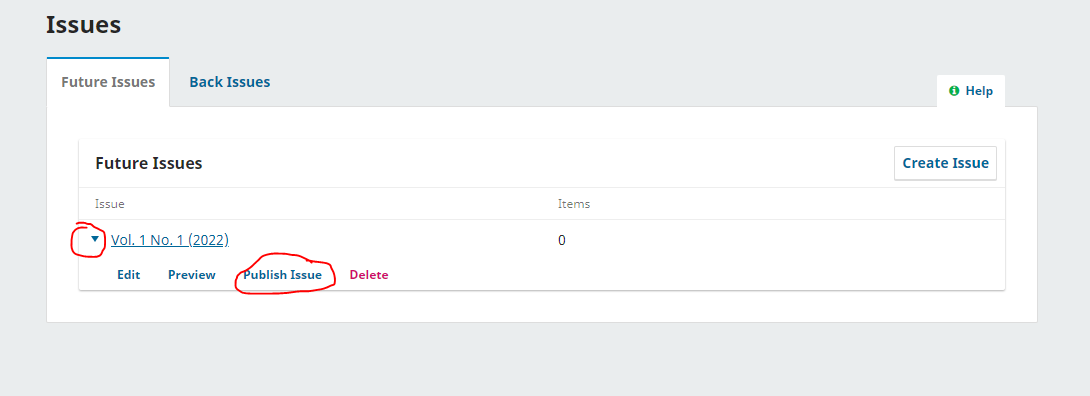
Online help systems say that there is a “Future Issues” page with a “publish Issue” button, but I see no such button on the “Issues/Future Issues” page.
The PKP page “Future Issues” says that there are options for this on the “Editor Home Page” - where is that?
(I am trying this logged in as Admin.)
Using OJS 3.4.0.5
Hi, just click on the small triangle left to an issue title in “Future Issues”, then you will see a link “Publish Issue”.
Very good - many thanks.
OMG – how simple and obvious! Thank you.
I had clicked most all other links on the page, missed this one. 
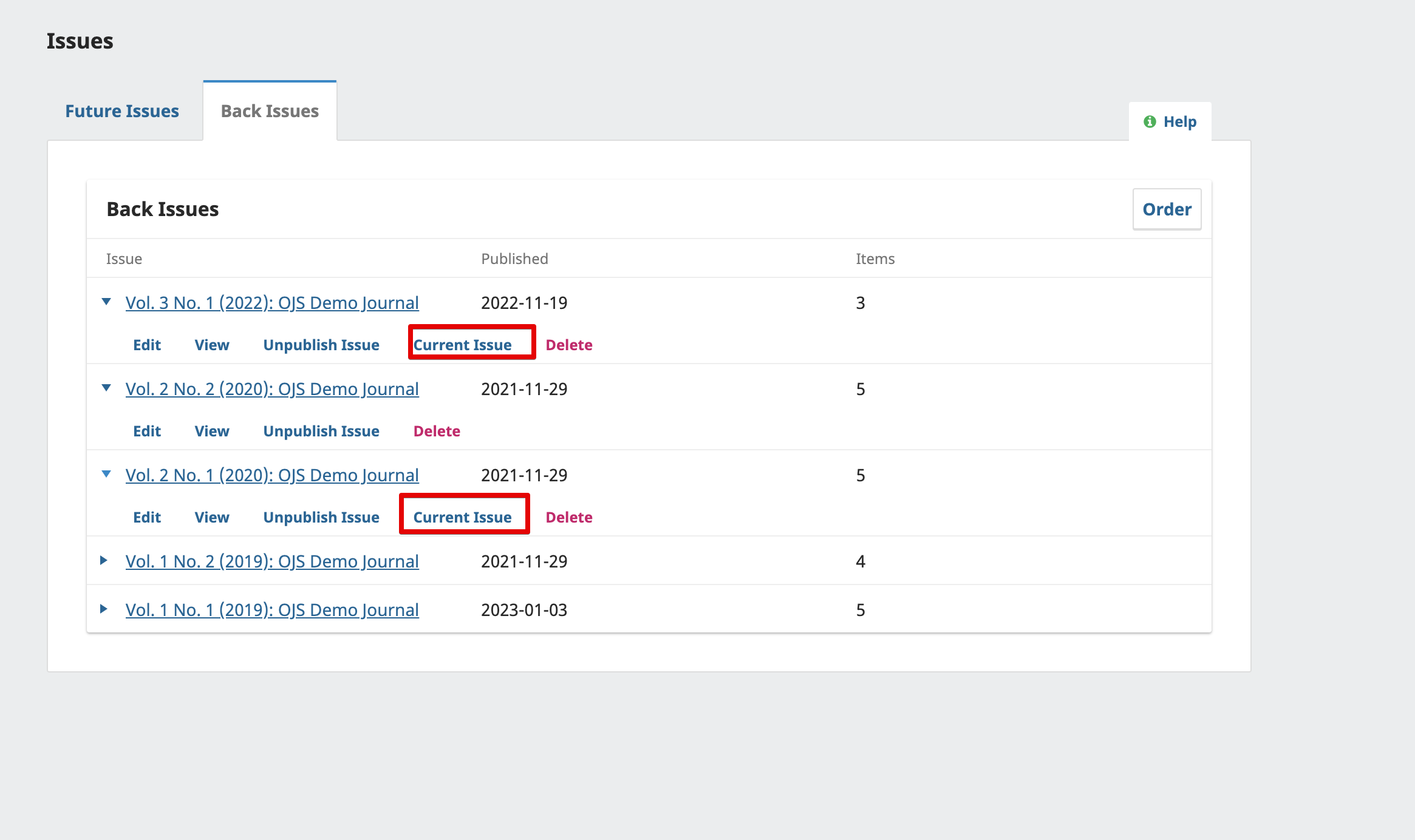
That makes an issue the Current issue, how do I make it a past issue, or overall control which is the current issue and what are past issues?
Thanks again.
(I do note that most of the online guides seem that I saw get this wrong.)
In OJS, the latest published issue is automatically set as the “Current Issue.” However, you can designate any issue as the “Current Issue” if you prefer.