Help needed with XML export error (Native Plugin) and PKP PN issue in OJS 3.3.0-14

Describe the issue or problem
Hi @jonasraoni,

I’m experiencing a problem with my OJS installation (version 3.3.0-14).
When I try to export submissions or issues in XML format using the Native Import/Export Plugin, I receive an error that prevents the export from completing successfully.

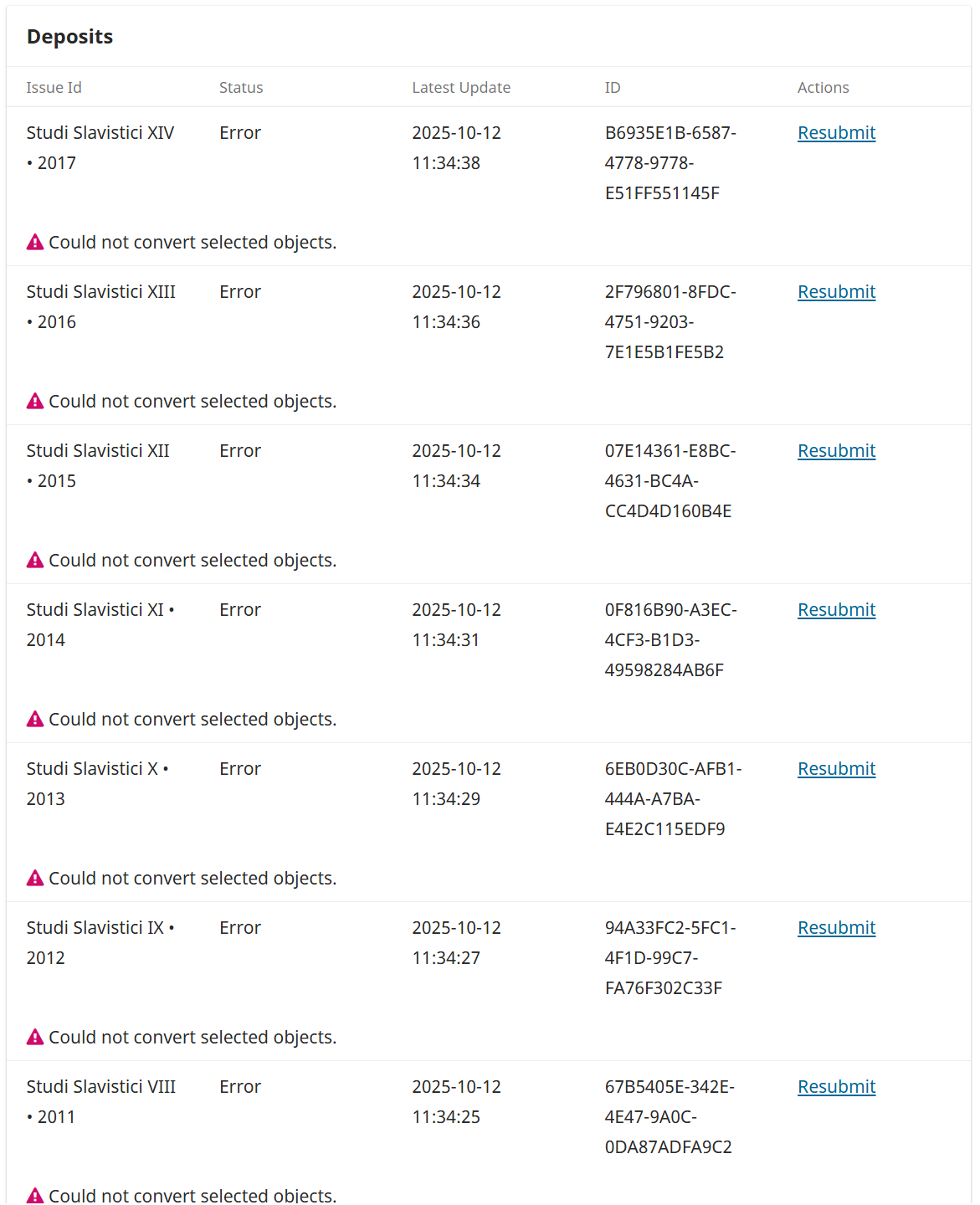
This issue also seems to affect the PKP PN Plugin, which reports an error apparently related to the same XML export/validation process.

I’m kindly asking for your help to understand what’s causing these errors and how I can fix them (for example, by correcting some files or configuration settings).

In the first attached image, you can see the error from the Native XML Plugin,
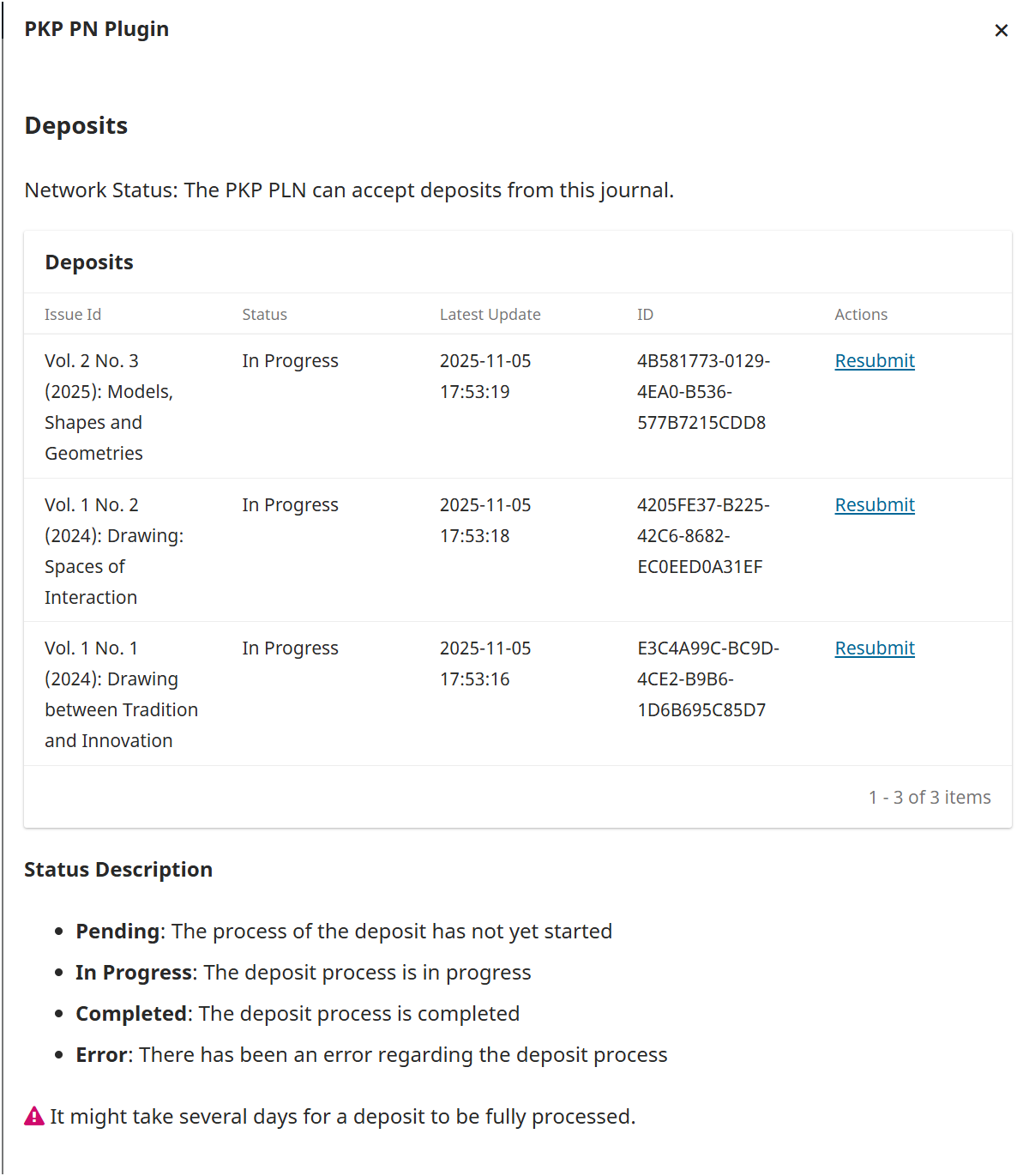
and in the second image, the one from the PKP PN Plugin.

Thank you very much for your time and support! :folded_hands:
Best regards,
Paolo Pellegrino
Archimede Informatica

What application are you using?
For example, OJS 3.3.0-14

Hi!

There were a bunch of problems in the application which were fixed recently, so first I’d like you to upgrade your installation to the latest release of 3.3.x, then I might help to investigate deeper if the problem still persists (you’ll have to click on the Resubmit after upgrading, this type of thing will be automated later, to retry after upgrading…).

Best,
Jonas Raoni

Hi,

we managed to identify a few errors and possible causes that might help others experiencing similar issues with the PKP PN plugin and the Native XML export in OJS.
Here’s a summary of what we found:


:one: Premise

To troubleshoot errors reported by the PKP PN plugin, it’s necessary to check the Native plugin in OJS, which handles the XML export, and identify the type of error that occurs when exporting an issue.
Once the error is identified, we recommend downloading each article from the affected issue individually to find which specific article is causing the problem.


:two: Problem: Memory limit exceeded

Description:
The PKP PN plugin reports an error, but the “insufficient memory” issue during the export phase actually comes from the Native plugin.

Error (php-error.log):

PHP Fatal error:  Allowed memory size of 134217728 bytes exhausted (tried to allocate 117030584 bytes) 
in /lib/pkp/plugins/importexport/native/filter/SubmissionFileNativeXmlFilter.inc.php on line 189

Solution:

  • Increased the memory_limit parameter in the .htaccess file.

  • Verified that the change applies to all OJS instances.


:three: Problem: Errors in “References”

Description:
The Native plugin fails to generate the XML file due to invalid elements in the “References” field.

Error found in XML:

xmlEscapeEntities : char out of range

Cause:
Text copied from PDFs containing special or unsupported characters.

Solution:
Manually clean the “References” field (and possibly other fields) in the affected articles.


:four: Problem: Articles assigned to issues but already published

Description:
The Native plugin detects inconsistencies between issues and published articles.

Error found in XML:

Validation errors:
Element '{http://pkp.sfu.ca}authors': Missing child element(s). Expected is ( {http://pkp.sfu.ca}author ).
Element '{http://pkp.sfu.ca}article_galley': This element is not expected.
...

Causes:

  • Articles incorrectly remain assigned to an issue.

  • Missing author(s) in the article metadata.

Solutions:

  1. Identify the article in the reported issue and manually remove it from the incorrect issue.

  2. If authors are missing, add them to the article and retry the export.


:five: Problem: Incompatible data from the old Quick Submit plugin

Description:
Some metadata are not recognized by the newer versions of the Native plugin.

Error found in XML:

Validation errors:
Element '{http://pkp.sfu.ca}submission_file', attribute 'stage': [facet 'enumeration'] The value '' is not valid...

Cause:
The old Quick Submit plugin inserted outdated or unsupported values — for example, the STAGE field had value 1, which is no longer valid in OJS 3.3.

Solution:

  • Correct the obsolete data in the database (e.g., set stage = 10).

  • Verify and retry the export.

Useful references:

Hi @paolo_pellegrino!

Thanks for sharing your findings.

:two: Problem: Memory limit exceeded

This shouldn’t happen at the PN Plugin, because it exports the Native XML files without embedding the file contents in the XML, which saves memory. But the UI of the Native XML plugin will do it and that’s the reason you had this problem, there are pending pull requests ( Native XML consumes too much memory · Issue #9769 · pkp/pkp-lib · GitHub ) to allow the user to modify it.

:three: Problem: Errors in “References”

I’ve seen it before and probably fixed here: "xmlEscapeEntities: char out of range" error when exporting issues through the Native XML plugin · Issue #9546 · pkp/pkp-lib · GitHub , so you might try to upgrade your installation instead of doing manual fixes (it it’s really a bad character great to get it fixed, if not, it’s an annoyance that can be avoided with the upgrade).

:four: Problem: Articles assigned to issues but already published

This should be fixed on our side, I’ve seen it before, many times, and I guess it’s needed to support authorless publications (if that makes sense), setup a default author (journal itself) or warn the user about such issues instead of failing with a meaningless error. I’ve created an issue here: [NativeXML plugin] | Failure when exporting authorless publications · Issue #11995 · pkp/pkp-lib · GitHub

:five: Problem: Incompatible data from the old Quick Submit plugin
Looks like I’ve fixed this problem in OJS 3.4: PHP Fatal error: Uncaught ValueError: DOMDocument::loadXML(): Argument #1 ($source) must not be empty in · Issue #9535 · pkp/pkp-lib · GitHub

It’s easy to fix it on 3.3.x, but we’re attempting to not run database migrations in stable releases (I personally think it’s more important to fix a problem instead of providing such hard to reach promises).

Best,
Jonas Raoni

Thank you for the clarifications earlier.

We have journal another OJS 3.3.0.21 is installed,
I have this in the log files [2025-11-05 17:53:15] [Notice] Depositor processing for TRIBELON Journal of Drawing and Representation of Architecture, Landscape and Environment.
[2025-11-05 17:53:15] [Notice] Getting service document.
[2025-11-05 17:53:15] [Notice] Processing new content.
[2025-11-05 17:53:15] [Notice] Processing updated content.
[2025-11-05 17:53:15] [Notice] Packaging content for deposit.
[2025-11-05 17:53:15] [Notice] Processing deposit status updates.
[2025-11-05 17:53:15] [Notice] Trying status update for 116 (Issue: 143) (Local Status: [Transferred], Processing Status: [Sent to LOCKSS], Lockss Status: [Received])
[2025-11-05 17:53:16] [Notice] Processing status got for 116 → (deposited)
[2025-11-05 17:53:16] [Notice] Trying status update for 140 (Issue: 177) (Local Status: [Transferred], Processing Status: [Sent to LOCKSS], Lockss Status: [Received])
[2025-11-05 17:53:18] [Notice] Processing status got for 140 → (deposited)
[2025-11-05 17:53:18] [Notice] Trying status update for 152 (Issue: 191) (Local Status: [Transferred], Processing Status: [Sent to LOCKSS], Lockss Status: [Received])
[2025-11-05 17:53:19] [Notice] Processing status got for 152 → (deposited)
[2025-11-05 17:53:19] [Notice] Sending deposits to the PKP PN.
[2025-11-05 17:53:19] [Notice] Depositor processing for Quaderni Culturali IILA.
[2025-11-05 17:53:19] [Notice] Getting service document.
[2025-11-05 17:53:20] [Notice] Processing new content.
[2025-11-05 17:53:20] [Notice] Processing updated content.
[2025-11-05 17:53:20] [Notice] Packaging content for deposit.
[2025-11-05 17:53:20] [Notice] Processing deposit status updates.
[2025-11-05 17:53:20] [Notice] Sending deposits to the PKP PN.
[2025-11-05 17:53:20] [Notice] Pruning orphaned deposits.
[2025-11-05 17:53:20] [Notice] Task process stopped. And the plugin always says ‘in progress’. How can we understand whether the articles have actually been registered in PKP?

Hi!

We already have a copy of the issue, and it will shared with the other nodes over the next couple of days, then the status will be changed from In Progress to something like Completed.

Best,
Jonas Raoni

Thank you so much

Best

Paolo Pellegrino

Hi, another question, is there a platform to see what has been deposited and what hasn't?

Hi!

You can view what’s deposited through the plugin settings and the ISSN.org.

Best,
Jonas Raoni

This topic was automatically closed after 18 days. New replies are no longer allowed.