Describe the issue or problem
I am able to create types of file I want authors to upload, such as manuscript text, raster art (JPG PNG etc), vector art (SVG), and data for tables, and latex formatted manuscript .tex but I cannot seem to make these show up in the actual workflow. I also want to make it possible for authors to upload a screenshot of an AI check during initial submission in form of .jpg .png etc.
When authors reach the resubmission or copyediting phases I want to be able to take these uploads from them in order to streamline copyediting and production. While I can make them appear in the list of file types visible to admin, they do not appear as options for the authors to upload.
Steps I took leading up to the issue
I added the components under Settings > Workflow > Submission > Components
But I find nowhere where I can control which article components get presented as upload options to authors at different phases.
What application are you using?
For example, OJS 3.5.0.2
Hi @Dennis_Evangelista,
When submitting as author, if you’ve setup the components properly, they should show up as upload options during Step #2:
https://docs.pkp.sfu.ca/learning-ojs/author/en/#upload
Have you tried a test submission to see if they appear? If not, what are you seeing/not seeing?
-Roger
PKP Team
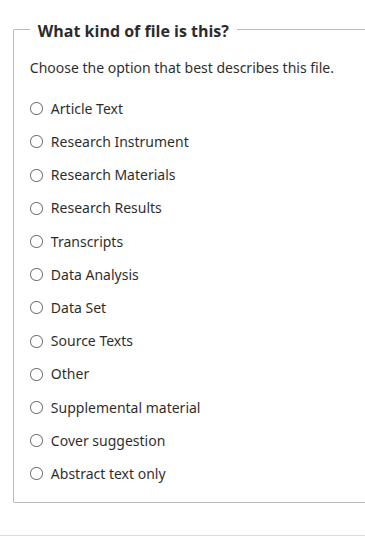
When I do a dummy test submission it gives the original options for what to upload but does not show the ones I created. Same if I am in review or revisions or copyediting phase. It’s not showing things like AI check (jpg png pdf), raw image file for figures (jpg png), vector graphics files (svg), which show up in the “components” list
Hi @Dennis_Evangelista,
Thanks for the updated. After going back and testing this, I’m running into this issue too - let me run this by our team and get back to you.
-Roger
PKP Team
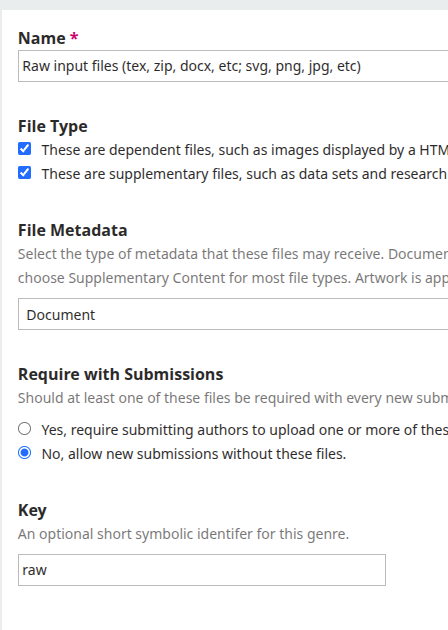
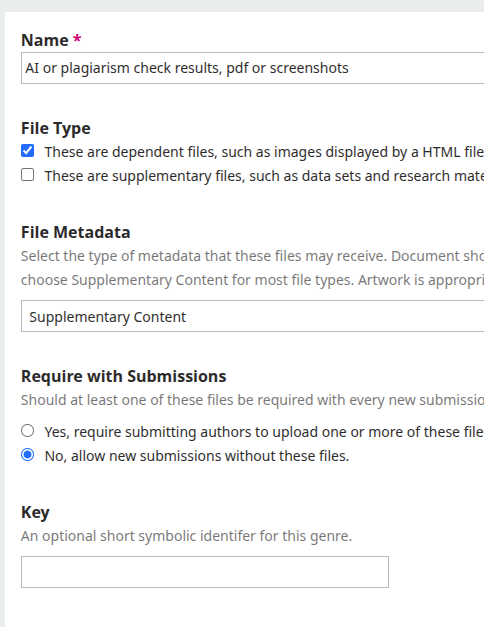
Hi @Dennis_Evangelista, can you share the settings for one of the components you created in Settings > Workflow > Submission > Components? So far I’m not able to reproduce this issue, but perhaps you have some different settings.
Or is the problem that they appear, but you can’t control the workflow stages they appear at?
I am able to create components I want to use such as .tex and raster and vector art - however they do not appear when users go to submit stuff, or when they go to submit revisions; or if as editor I go in to upload stuff.
Hi @Dennis_Evangelista, in the component settings can you try unchecking the box for “These are dependent files,…”, save, then try again to see if they appear?
Unchecking dependent file results in it showing up but not quite in a way I expected
Hi @Dennis_Evangelista, can you share a bit more about what you were expecting? And does this still resolve your issue?