Describe the issue or problem
Dear PKP support
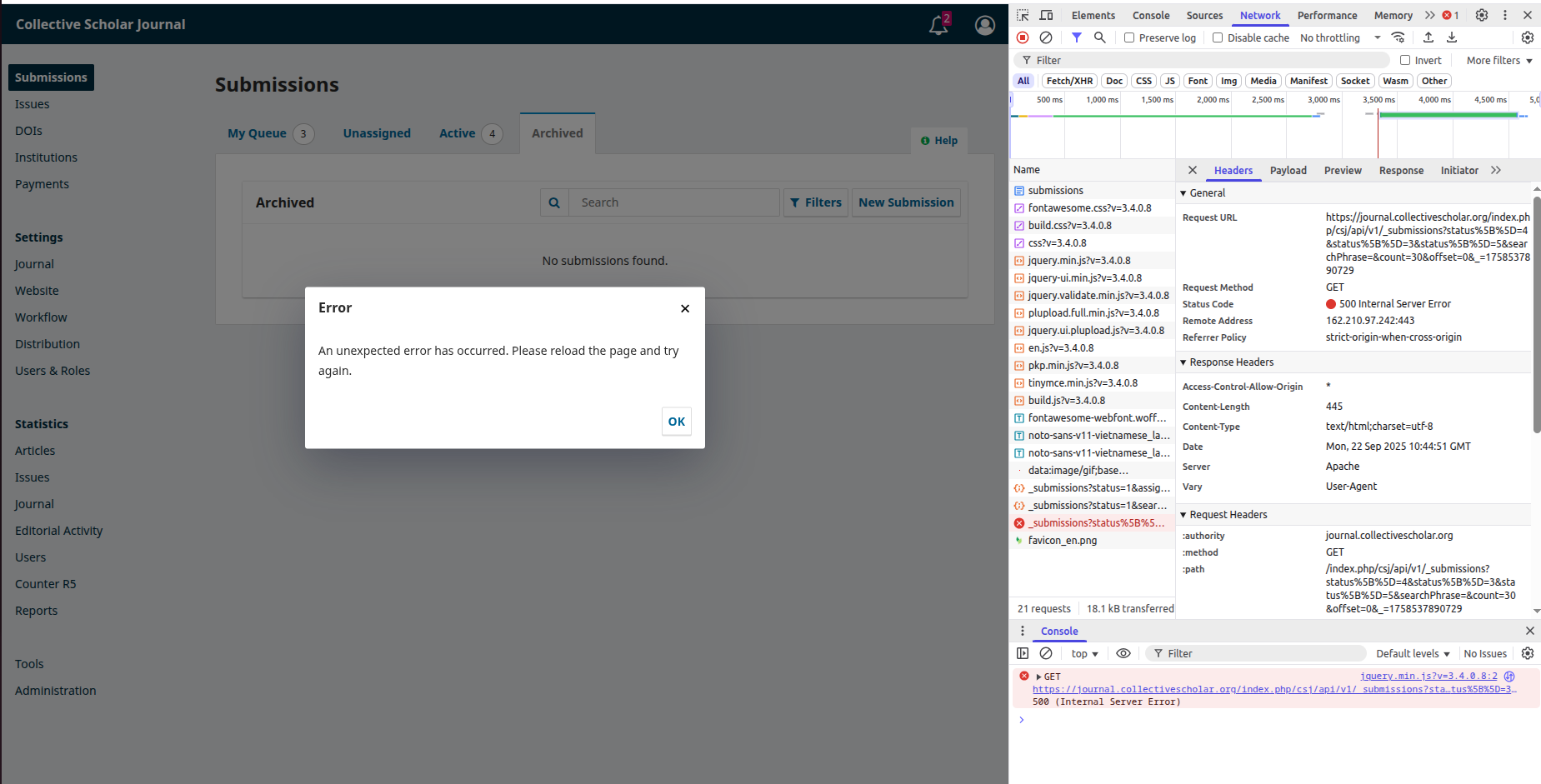
I followed the deployment manual to secure the submissions “files” folder by moving it out of the web root and pasting the new path in the config file. After moving the folder, the following error message appears when I open the Submissions page when logged in as admin:
“ An unexpected error has occurred. Please reload the page and try again.”
After reloading several times, the same error message persists.
I can access all submissions in the editorial workflow, except incomplete and published submissions. The “Archived” tab in the Submissions page shows “No submissions found”, but three published submissions were visible before we moved the “files” folder.
When I try to open incomplete submissions, the page appears blank with the message “This page isn’t working
journal.example.org is currently unable to handle this request.
HTTP ERROR 500”
Steps I took leading up to the issue
While adding the new folder path in the config.inc.php file we found the old path written as:
files_dir = “/home/www/journal.example.org/public_html/files
I found this confusing as we wrote it in the installation wizard as:
http://journal.example.org/public_html/files
We added the new path in this format:
files_dir = “/www/journal.example.org/files”
Could this be causing the problem?
What application are you using?
OJS version: 3.4.0.8
Operating system: Linux
PHP version: 8.0.30
Server: Apache
Database: MySQL 8.0.30
Browser: Brave 1.77.95 and Mozilla Firefox
Additional information
The following screenshots are for your reference:
Submissions page

Archive Tab