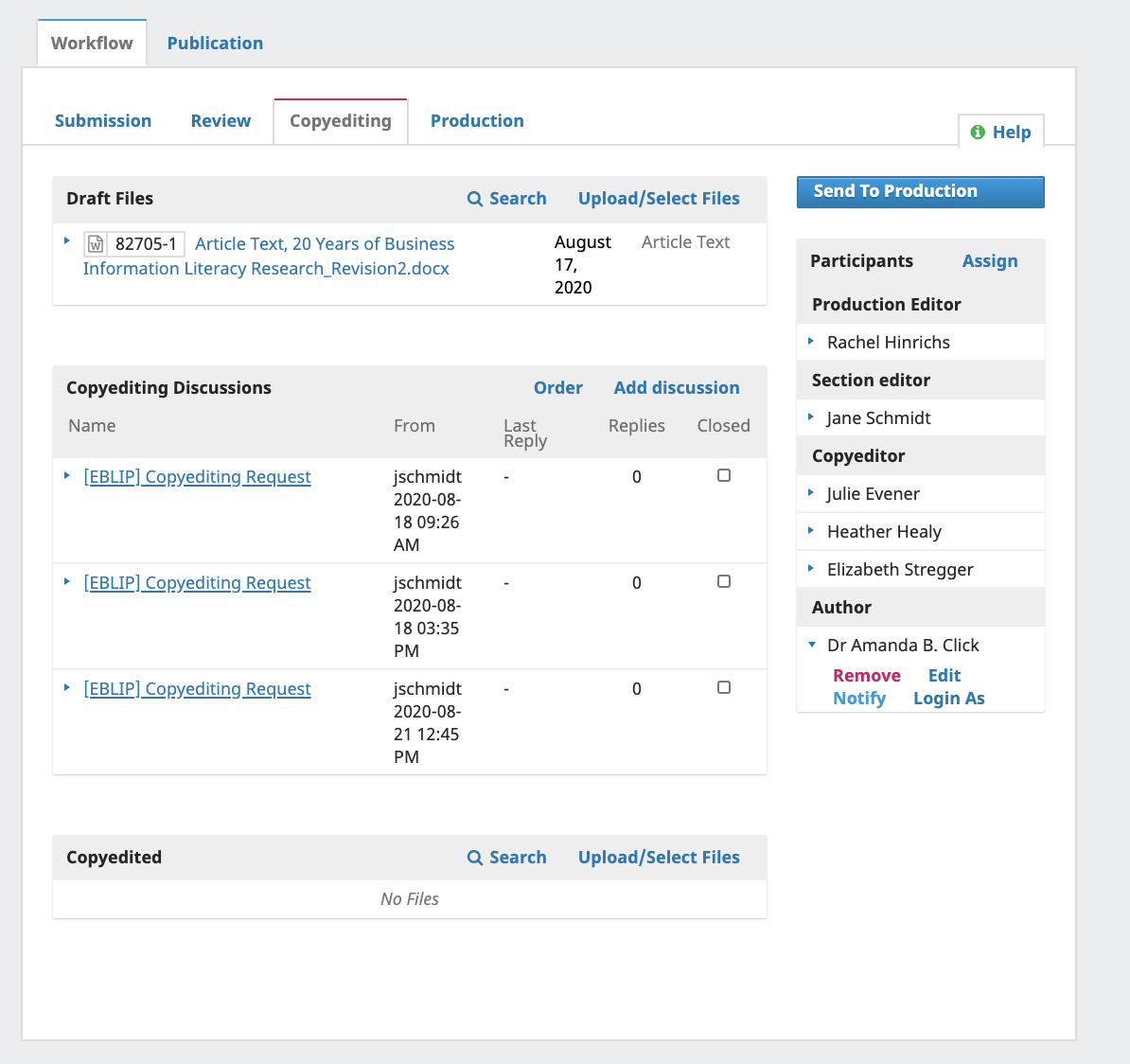
When trying to notify the author of a particular submission that the copyedited version of their article is ready for their review. This would be under the copyediting tab in the workflow for individual submissions - the notify button available in the dropdown from the author’s name on the righthand menu. see the screen shot:
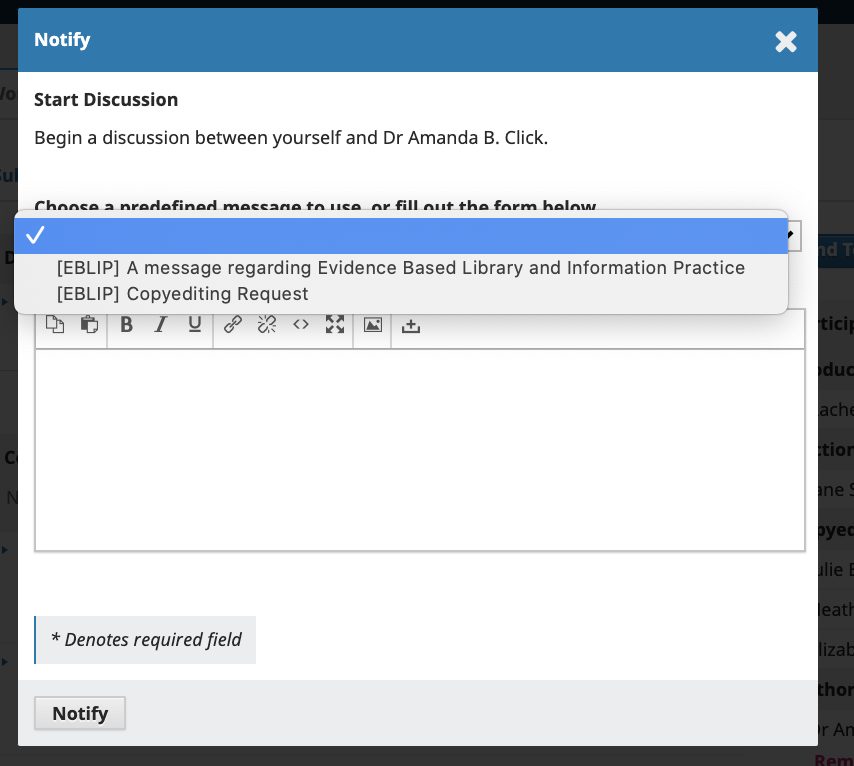
When we click on “notify” and a blank email form is provided, there is the option to select a prepared email template from a drop down menu. Previously, there was always an option to use a template for “Copyediting Review Request” that would appear in this drop down menu. It has now disappeared, as you can see:
However, when I look at the email templates available in the “Emails” tab of the Workflow Settings, the Copyediting Review Request email template is still there and enabled.