Hello,
I’m wondering if there is a way to disable, in the settings, the download-counter from displaying in the front-end.
Thanks,
Aria
Hello,
I’m wondering if there is a way to disable, in the settings, the download-counter from displaying in the front-end.
Thanks,
Aria
Hi @Aria_Lotfalian,
Where are you seeing this displayed on your OPS site? I don’t see it on my version that I was testing on it, so I’m going to presume that it can be disabled. Can you provide a link/screenshot?
-Roger
PKP Team
Hello @rcgillis,
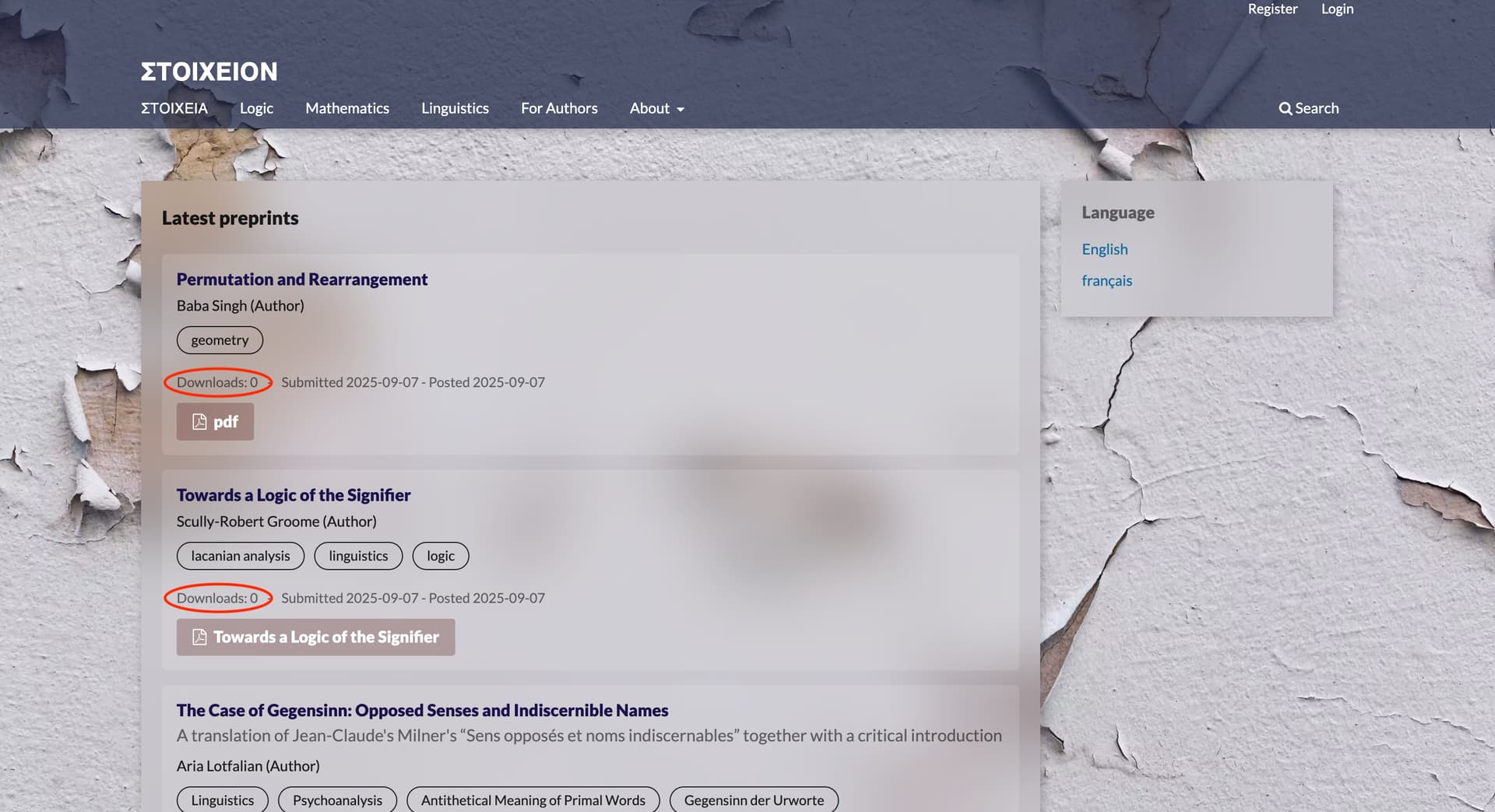
The download-counter is displayed under each published preprint in the latest preprint list of the homepage. Here’s a screenshot:
Hi @Aria_Lotfalian,
Right - sorry - I see what you mean - it didn’t stand out to me at first. I just tested this on 3.5 and it didn’t work for me either. I’ll see if I can get our devs to look at this to see if it might be a bug.
Cool site design by the way!
-Roger
PKP Team
Hello @rcgillis ,
Thank you. I’ll await the response. In the meantime, I was wondering if there is also way to make the download-counter not display using CSS. I tried doing this but the counter doesn’t seem to have specific class name assigned to it so I couldn’t find a way to select it without also selecting the submission and publication dates.
-Aria
Which theme of OJS are you using?
We are just using the default theme in OPS 3.5 but styling it with background image, etc. using CSS.
Hi @Aria_Lotfalian,
Have you tried just setting it to display: none in your CSS? That would allow it not to display. I’m in discussions with our dev team and they may be filing an issue on Github - I’ll follow-up when I know more.
-Roger
PKP Team