I’ve been asked about file types from an editor. They ask:
“In your technical expertise, would it be worthwhile to update our older articles which are only PDF to include an HTML version, as a way to attract more visibility / potential readership?”
(I will also be consulting a librarian colleague, but I thought it relevant to pose this question here as well. If I have more information about this topic, I’ll add it later). Thank you!
Hi @PKP_Tam,
There are a number of considerations that you may wish to take into account:
- If you have the expertise to be able to produce HTML galleys on an ongoing basis.
- How involved your final galleys will be. For example, if you are consider making multimodal galleys with videos, images, sound, or other multimedia formats included, I’d recommend watching this presentation here: https://youtu.be/qv2GLxVTXjQ?si=IlQ26_Cv8udnpExe
- The work involved in making HTML galleys accessible. You can see our documentation here for more information: https://docs.pkp.sfu.ca/accessible-content/en/galleys#formats
PDF galleys are much more easily produced and less involved than creating HTML galleys.
I don’t think there is any one-size-fits-all solution - it will very much depend on the individual journal and whether or not they have the time, resources, and knowledge to be able to create HTML galleys.
Others may wish to offer their insights as well.
-Roger
PKP Team
Hi @rcgillis
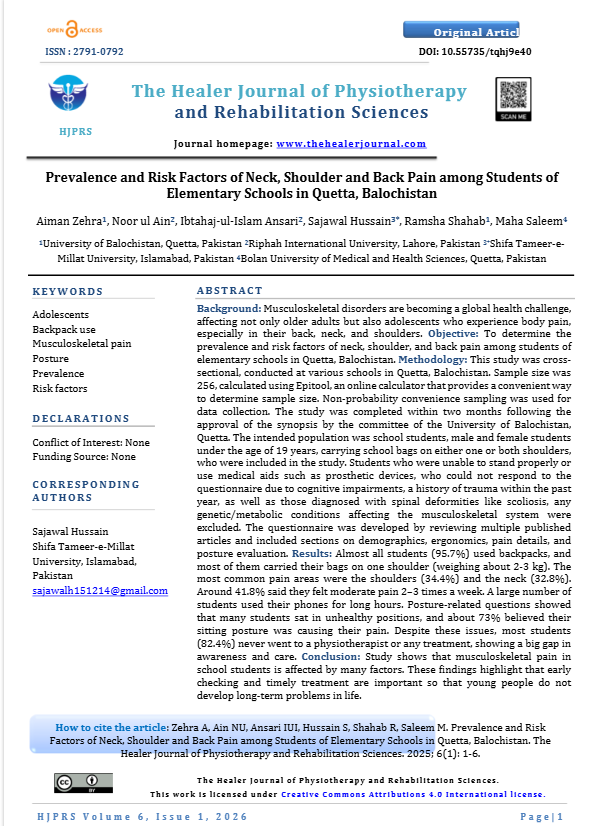
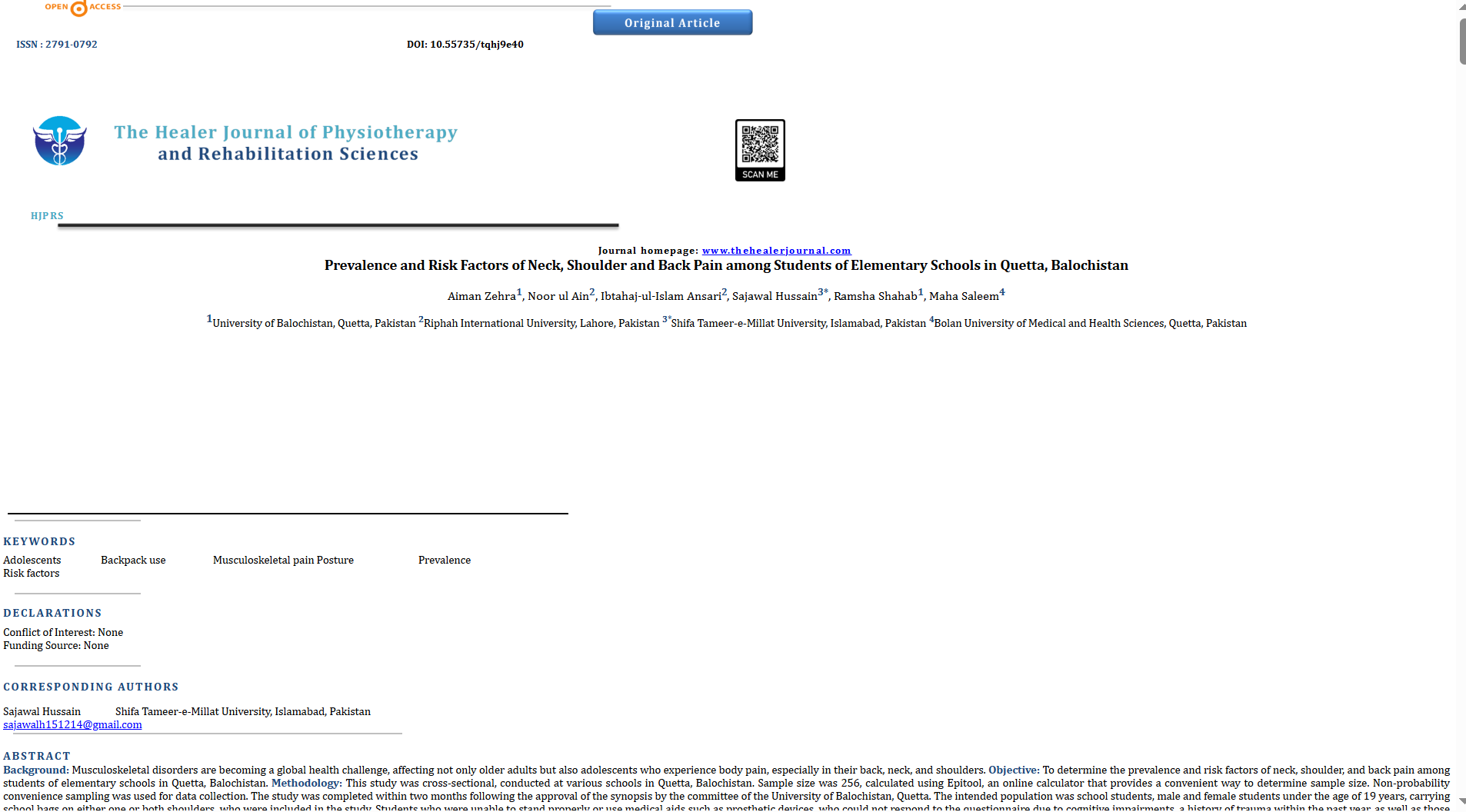
I am trying to add HTML in the galley. The problem which im facing is that when I convert the Word file to an HTML filtered file, the formatting, etc., all go haywire. I tried it many times, but every time it returns the same output with a loss in formatting. Please note that I also tried to convert PDF to HTML, but again, formatting is lost (although conversion of PDF to HTML results in less loss of formatting)
I need your support to resolve this issue and convert the Word into HTML in perfect formatting. For reference im also attaching the screenshots.
1st image is of PDF to HTML
2nd image is of WORD to HTML (totally messed and all formatting is lost)
Hi @Raza_Haider,
I suspect that converting from Word or PDF into an OJS HTML galley is not realistic, but you can get very close if you stop relying on Word’s own HTML and move to a template‑plus‑cleanup workflow.
- MS Word’s “Save as Web Page", often produces inline‑styled HTML that does not match your journal’s CSS and often breaks and may create issues with the OJS HTML galley viewer.
- For PDF-to-HTML tools, I suspect that they are trying to reverse‑engineer layout from a fixed page; which can lead to the loss of positioned elements, random spans, and other factors that would make it difficult to render well
- OJS 3 renders HTML galleys “as is” in its viewer, so any messy markup or inline styles from these conversions will not look good.
Overall, using MS Word or PDF converters will not work well for creating HTML galleys.
That said, here a few tips for working with HTML galleys:
- Start from a clean HTML template
- Use or adapt an existing OJS HTML galley template (e.g., institutional examples such as Western’s “HTML Galley Template”). We also give some advice on making accessible HTML galleys
- Use CSS for layout
- Define all layout in a shared CSS file (e.g.,
article_galley.css): fonts, line spacing, margins, heading sizes, hanging indents, table borders, etc.)
- Handle images, tables, and equations carefully
- Save images from Word to sparate files (JPG/PNG), upload them to the submission as dependent files in OJS, and reference them within your HTML galley
<img src="filename.jpg" /> in the HTML.
- Keep tables as genuine
<table>, <tr>, <td> structures; clean out inline widths and let CSS manage width and borders.
- For complex equations, consider:
- Keeping them as images referenced in HTML, or
- Using MathJax (there is a MathJax plugin for OJS) or similar if your journal has the capacity. (This is usually more work and not strictly necessary for basic HTML galleys.)
- Upload correctly in OJS
- In the Production → Publication → Galleys tab, add a new galley and upload your cleaned HTML file.
- If you are using a per‑article stylesheet (instead of a global theme hook), upload the CSS as a dependent file and reference it in the
<head> of the HTML.
- Preview the galley in OJS and adjust CSS (not the HTML structure) until it is acceptably close to the PDF.
Expectations and journal policy
- HTML galleys almost never replicate what can be conveyed in a PDF galley (e.g. page breaks, exact line wrapping, PDF pagination); they are meant to be responsive, not page‑faithful, like PDF galleys.
- A practical policy is:
- Treat PDF as the “print‑perfect” version.
- Treat HTML as an accessible, mobile‑friendly version whose typographic details are “good enough” but not identidcal to the PDF version.
- Consider an XML‑centric workflow (e.g., JATS XML → HTML/PDF via JATS Parser or a similar tool) where one structured source generates all formats.
- This is more work up front, but gives you reliable, consistent rendering long‑term and decouples presentation from whatever authors do in Word.
Sorry I couldn’t be of more help. I think conversion tools tend to be more trouble than what they’re worth, but if the community has found good ones out there that tend to work for them, I’d be curious to hear of them.
-Roger
PKP Team