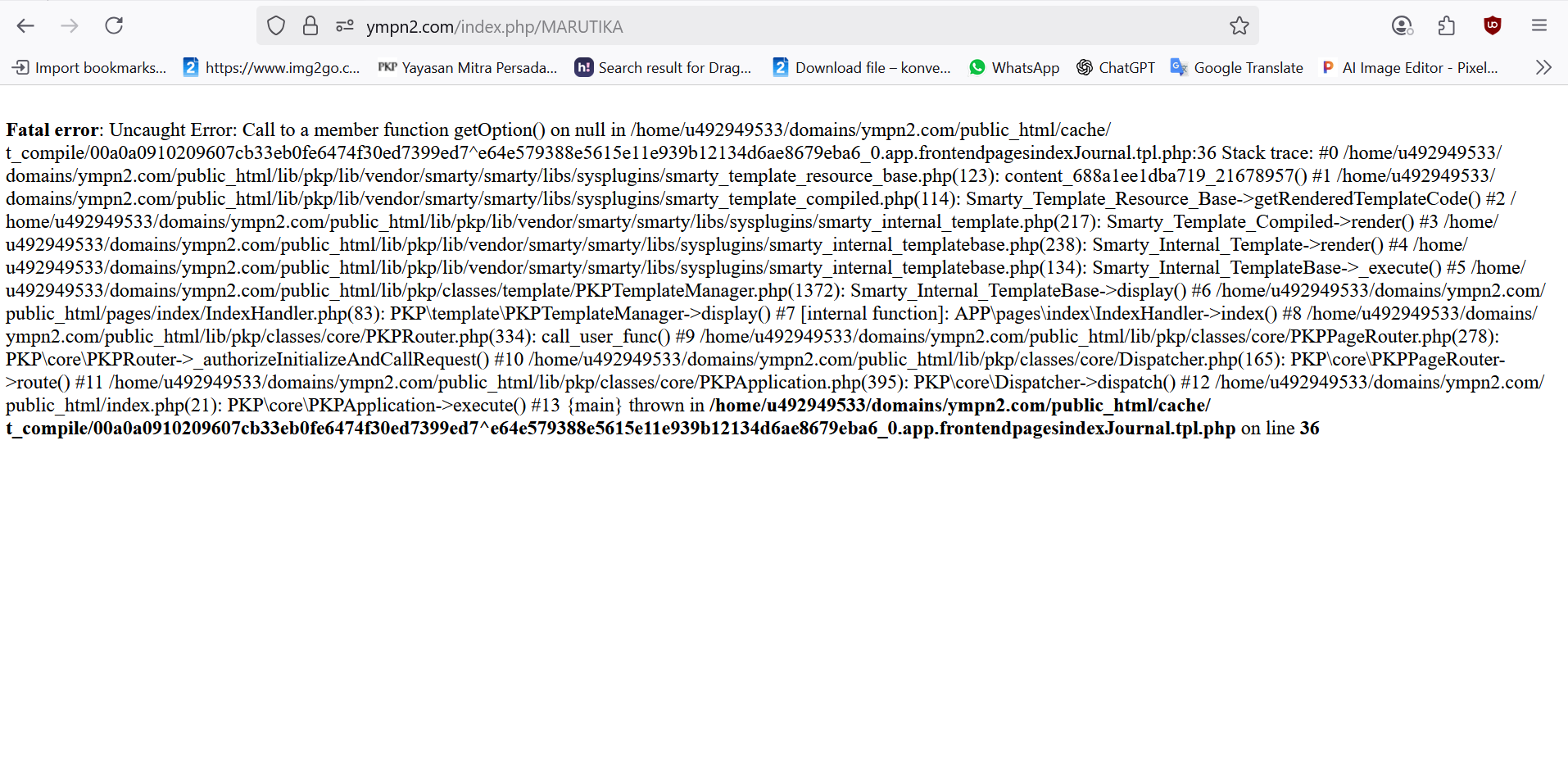
i got an issue when creating a new journal and after finish entry the data and click save, it will appears notification: an unexpected error occured. Then when i refresh the page, suddenly the journal been created but when i want to edit the setting wizard, the page will just show loading on plugins and cannot save the edit on journal settings too. Then i went to check on the website link: https://ympn2.com/index.php/MARUTIKA and the page showed error like that.
Fatal error: Uncaught Error: Call to a member function getOption() on null in /home/u492949533/domains/ympn2.com/public_html/cache/t_compile/00a0a0910209607cb33eb0fe6474f30ed7399ed7^e64e579388e5615e11e939b12134d6ae8679eba6_0.app.frontendpagesindexJournal.tpl.php:36 Stack trace: #0 /home/u492949533/domains/ympn2.com/public_html/lib/pkp/lib/vendor/smarty/smarty/libs/sysplugins/smarty_template_resource_base.php(123): content_688a1ee1dba719_21678957() #1 /home/u492949533/domains/ympn2.com/public_html/lib/pkp/lib/vendor/smarty/smarty/libs/sysplugins/smarty_template_compiled.php(114): Smarty_Template_Resource_Base->getRenderedTemplateCode() #2 /home/u492949533/domains/ympn2.com/public_html/lib/pkp/lib/vendor/smarty/smarty/libs/sysplugins/smarty_internal_template.php(217): Smarty_Template_Compiled->render() #3 /home/u492949533/domains/ympn2.com/public_html/lib/pkp/lib/vendor/smarty/smarty/libs/sysplugins/smarty_internal_templatebase.php(238): Smarty_Internal_Template->render() #4 /home/u492949533/domains/ympn2.com/public_html/lib/pkp/lib/vendor/smarty/smarty/libs/sysplugins/smarty_internal_templatebase.php(134): Smarty_Internal_TemplateBase->_execute() #5 /home/u492949533/domains/ympn2.com/public_html/lib/pkp/classes/template/PKPTemplateManager.php(1372): Smarty_Internal_TemplateBase->display() #6 /home/u492949533/domains/ympn2.com/public_html/pages/index/IndexHandler.php(83): PKP\template\PKPTemplateManager->display() #7 [internal function]: APP\pages\index\IndexHandler->index() #8 /home/u492949533/domains/ympn2.com/public_html/lib/pkp/classes/core/PKPRouter.php(334): call_user_func() #9 /home/u492949533/domains/ympn2.com/public_html/lib/pkp/classes/core/PKPPageRouter.php(278): PKP\core\PKPRouter->_authorizeInitializeAndCallRequest() #10 /home/u492949533/domains/ympn2.com/public_html/lib/pkp/classes/core/Dispatcher.php(165): PKP\core\PKPPageRouter->route() #11 /home/u492949533/domains/ympn2.com/public_html/lib/pkp/classes/core/PKPApplication.php(395): PKP\core\Dispatcher->dispatch() #12 /home/u492949533/domains/ympn2.com/public_html/index.php(21): PKP\core\PKPApplication->execute() #13 {main} thrown in /home/u492949533/domains/ympn2.com/public_html/cache/t_compile/00a0a0910209607cb33eb0fe6474f30ed7399ed7^e64e579388e5615e11e939b12134d6ae8679eba6_0.app.frontendpagesindexJournal.tpl.php on line 36
I am using OJS 3.4.0.8 version
Please help me, thank you